Your Designer Just Shipped Code: The AI Workflow
The Slack notification hit at 9:47 AM on a Tuesday. "PR #312 — New landing page hero section. Ready for review." The engineering lead opened it expecting the usual developer's pull request. Clean TypeScript. Proper component structure. Design tokens pulled straight from the Figma source file. Every pixel matched the mockup.
Then he checked who opened it.
The product designer. The one who'd never written a line of production code in her life. The one who, three weeks earlier, had asked what a "pull request" even was.
That moment — that specific Slack notification — is the future of creative teams. Not designers learning to code. Not developers learning to design. Something entirely different: a workflow where the boundary between "people who design" and "people who build" dissolves completely. Where a PM fixes a button color at 2 PM and a designer implements an entire page layout by 4 PM, and the engineering team reviews real, production-ready code instead of translating Figma screenshots into components from scratch.
This isn't hypothetical. It's happening right now across agencies and product teams using a specific stack of AI-powered tools. And the teams that figure this out first are shipping features at a pace that makes their competitors look frozen.
Here's exactly how the workflow operates — and why it changes everything about how creative teams collaborate with engineering.
The Wall Between Design and Development Is Crumbling
Every creative agency knows the handoff problem. A designer spends days perfecting a layout in Figma. Spacing is intentional. Color relationships are carefully balanced. Micro-interactions are annotated. The design system is respected. Everything feels cohesive and purposeful.
Then the handoff happens.
A developer receives the Figma link, squints at the specs panel, and starts translating visual intent into code. Padding values get rounded. That subtle gradient becomes a flat color because "it looked close enough." The custom font pairing gets swapped for whatever's already in the project. Three days later, the designer opens the staging link and feels that familiar sinking feeling — it's close, but it's not right.
This translation loss isn't anyone's fault. Designers think in visual relationships. Developers think in component logic. The gap between those two mental models has been the most expensive inefficiency in product development for decades.
What changed? AI tools got good enough to bridge both sides simultaneously.
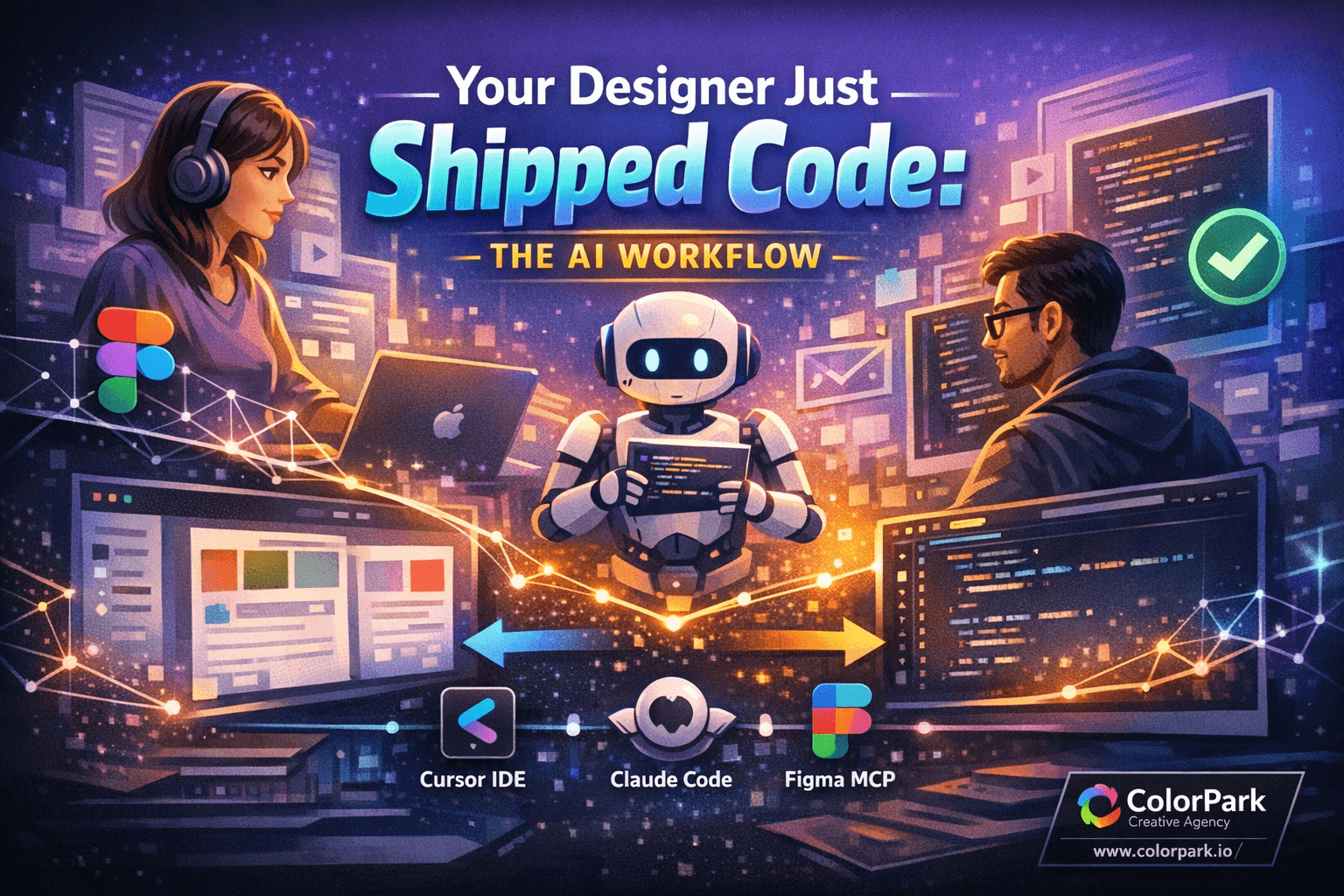
Three specific tools — working together — have created a workflow that would've sounded absurd two years ago. Cursor (an AI-native IDE), Claude Code (an AI coding assistant), and Figma MCP (a universal connector that links AI tools directly to design files). Individually, each one is impressive. Combined, they let anyone on a creative team contribute real code to a real codebase without a computer science degree.
The key insight most people miss: this isn't about replacing developers. It's about expanding who can contribute to the codebase. The engineering team still reviews every line. The architecture stays intact. Code quality standards don't drop. What changes is that designers, PMs, and stakeholders can translate their ideas into working code instead of writing specification documents that get misinterpreted.
And the speed difference is staggering. But we'll get to the numbers later — first, you need to understand how the pieces fit together.
Three Tools, One Seamless Pipeline
Cursor: The IDE That Speaks Human
Traditional code editors are hostile territory for non-technical people. VSCode alone has over 400 keyboard shortcuts. Terminal commands feel like incantations. Error messages read like ancient warnings written in a dead language.
Cursor changes the equation entirely. Built on VSCode's foundation but redesigned around AI-first interactions, it lets users describe what they want in plain language and watch the AI write the code. Need to change a button's hover state? Type "make the primary button glow slightly on hover with a 200ms ease transition." Cursor writes the CSS. Want to restructure a page layout? Describe the grid you're imagining. Cursor restructures the JSX.
What makes Cursor different from browser-based AI tools is where the code lives. Every change happens inside the actual project repository. The real components. The real styles. The real design tokens. Nothing exists in a sandbox — every edit is production-aware.
For designers specifically, this is profound. You're not prototyping in isolation anymore. You're modifying the actual product. The spacing you adjust is the spacing users will see. The color you change propagates through the design system exactly the way it should.
Claude Code: The Expert Sitting Next to You
Here's where things get intelligent. Claude Code isn't just an autocomplete engine. It reads your entire project — the README, the style guide, the component library, the TypeScript configuration — and understands the conventions your team follows.
When a designer asks Claude Code to build a new section, it doesn't generate generic React code. It generates code that matches the existing project's patterns. Same naming conventions. Same component structure. Same import style. Same state management approach.
This matters enormously because it's what makes non-developer contributions actually mergeable. The code doesn't just work — it looks like it belongs. An engineering reviewer can't easily tell whether a component was written by a senior developer or a designer working with Claude Code, because the output follows the same architectural patterns.
Claude Code also acts as a safety net. Ask it to do something that would break the build, and it warns you. Try to install a dependency that conflicts with the existing stack, and it suggests the alternative your team already uses. It's like having a patient, infinitely knowledgeable senior developer sitting next to you — one who never judges you for asking basic questions.
Figma MCP: The Bridge Nobody Knew Was Missing
This is the piece that makes the entire workflow feel like magic. Figma MCP (Model Context Protocol) creates a direct connection between AI tools and Figma design files. No exporting PNGs. No copying hex codes manually. No squinting at the spacing panel trying to remember if that's 16px or 20px.
When a designer pastes a Figma link into Cursor, the MCP connector pulls everything: design tokens, font families and weights, color values, spacing relationships, component structure, auto-layout properties. The AI doesn't interpret a screenshot — it reads the actual design data.
Imagine pointing Claude Code at a Figma frame and saying "build this." The AI sees the exact font stack, the precise color palette, the specific border radius values, the responsive breakpoints implied by the auto-layout. The code it generates doesn't approximate the design. It implements it with the fidelity of a developer who spent thirty minutes cross-referencing the Figma specs panel.
The elimination of manual design-to-code translation is massive. That subtle gradient the developer would've simplified? The AI implements it exactly. The custom letter-spacing on that headline? Preserved. The carefully calibrated padding that creates visual rhythm? Reproduced pixel-for-pixel.
But this technical stack is only half the story. The workflow around it — the branching strategy, the review process, the guardrails — is what makes it safe enough for production teams to actually adopt. That's the part nobody else is explaining clearly.
The Complete Workflow: From Figma to Pull Request
Here's the step-by-step process any non-technical team member can follow. Every step includes what to do, why it matters, and what to watch for.
Step 1: Get Access and Clone the Repository
Before anything else, you need a GitHub account and access to your company's repository. Ask your engineering lead — they'll add you as a collaborator with the right permission level.
Open Cursor and clone the repository. This downloads every file in the project to your machine. You're looking at the same code your developers work with every day.
Why this matters: Everything you do from here happens inside the real project. No sandbox. No simulation. Real components, real styles, real architecture.
Watch for: Make sure you're cloning the right repository. Larger teams sometimes have multiple repos. Ask which one contains the frontend code you'll be working with.
Step 2: Create a Branch (Your Safety Net)
This is the single most important concept for non-technical contributors. A branch is your personal workspace within the codebase. Changes you make on your branch don't affect the live product. They don't affect other developers. They exist in isolation until someone explicitly merges them.
In Cursor, creating a branch takes five seconds. Name it something descriptive — "hero-section-redesign" or "landing-page-v2" — so developers know what to expect when they see it.
Why this matters: Branches eliminate the fear of breaking things. You literally cannot damage the live product by working on a branch. Experiment freely. Make mistakes. Delete everything and start over. The main branch stays untouched.
Pro tip: Create a new branch for every distinct task. Don't pile unrelated changes into one branch — it makes review harder for your engineering team.
Step 3: Let Claude Code Read the Room
Before writing a single line of code, ask Claude Code to analyze the project. Point it at the README file, the package.json, the component directory. Ask it: "What tech stack does this project use? What component patterns does it follow? What styling approach is standard here?"
Claude Code will tell you the project uses, say, Next.js 14 with TypeScript, Tailwind CSS for styling, and a specific component library. It identifies naming conventions, file structure patterns, and state management approaches.
Why this matters: Every project has unwritten rules. When Claude Code understands these rules before generating code, its output blends seamlessly with existing work. Skip this step and you'll get generic code that triggers code review comments about style inconsistencies.
Step 4: Start the Local Server
Run the project locally so you can see your changes in real-time. Claude Code can help you find the right command — usually something like npm run dev or yarn dev. A browser window opens with the product running on your machine.
Why this matters: You're testing in a controlled environment. Nothing is deployed. Nothing is live. You can see exactly how your changes look and behave before anyone else does.
Watch for: If the server fails to start, don't panic. Copy the error message and ask Claude Code what went wrong. Nine times out of ten, it's a missing dependency that one command will fix.
Step 5: Connect Figma and Build
This is where everything comes together. Paste your Figma design link into the conversation with Claude Code (through Cursor). The Figma MCP connector pulls the design data — colors, typography, spacing, layout structure — directly from the source file.
Tell Claude Code what you want: "Build this hero section using the design from this Figma frame. Match the existing component patterns in this project."
Watch the AI generate a complete TSX component. The fonts match. The colors are pulled from the design tokens. The responsive behavior follows the auto-layout logic from Figma. Interactive states — hover effects, focus rings, click animations — are included if they're annotated in the design.
Why this matters: The code isn't just visually accurate. It's architecturally consistent with the rest of the project because Claude Code already analyzed the codebase patterns in Step 3.
Pro tip: Build incrementally. Start with the layout structure, review it in the browser, then add typography, then colors, then interactions. Trying to generate everything at once sometimes produces code that's harder to debug if something looks off.
Step 6: Commit and Push Your Changes
When you're satisfied with how the page looks and behaves locally, it's time to save your work. A commit is like a snapshot — it records exactly what you changed and why.
Claude Code auto-generates commit messages that describe the changes clearly. Something like "Add hero section component with responsive grid and CTA button." Push the commit to your branch on GitHub.
Why this matters: Commits create a trail of what changed and when. If something needs to be reverted later, the team can roll back to any previous snapshot.
Step 7: Open a Pull Request
A pull request is your formal request to merge your changes into the main codebase. On GitHub, create one from your branch with a descriptive title and a brief summary of what you built and why.
Your engineering team reviews the code. They might approve it immediately, suggest minor adjustments, or request changes. This is normal — even senior developers get review comments. Make any requested changes, push them to the same branch, and the pull request updates automatically.
Once approved, the changes merge into the main branch. Your code is now part of the product.
Why this matters: The pull request process is the quality gate. It ensures that every contribution — regardless of who wrote it — meets the team's standards before it reaches users. This is what makes the entire workflow safe.
If you've followed these seven steps, you just shipped production code without writing any of it from memory. The engineering team reviewed it. The architecture is consistent. The design matches the Figma source perfectly. That's not a prototype. That's a feature.
What Nobody Tells You About This Workflow
The marketing pitch for AI-assisted coding is seductive: anyone can code now. And yes, the tools are genuinely remarkable. But here's the honest perspective after watching multiple creative teams adopt this workflow.
The learning curve is real, but not where you'd expect it. The hard part isn't using Cursor or Claude Code — those interfaces are genuinely intuitive. The hard part is understanding git concepts. Branches, commits, merge conflicts, pull requests — these are abstract ideas that take a few days to internalize. Budget time for this. Run practice sessions where designers create branches, make trivial changes, and open pull requests for fake features. The muscle memory comes faster than you'd think.
Not every design translates cleanly to code. Complex animations, intricate scroll-based interactions, and unconventional layouts still challenge AI-generated code. The AI handles 85-90% of typical UI work brilliantly. That remaining 10-15% still needs a developer's touch. Know where the boundary is — and respect it.
Code review friction is inevitable at first. Engineering teams can feel territorial about their codebase. A designer opening a pull request feels like boundary-crossing to some developers. Address this head-on. Frame it as "expanding the team's capacity" rather than "replacing developer work." When engineers see that AI-generated code actually follows their patterns and reduces their Figma-translation workload, resistance usually melts within a couple weeks.
The Figma MCP connection isn't perfect. Design tokens transfer cleanly. Layout structure translates well. But highly customized Figma components with complex variants sometimes confuse the AI. Keep your Figma files organized with clear naming and consistent use of auto-layout. The cleaner your design file, the better the code output.
You need guardrails. Branch protection rules should prevent anyone from pushing directly to the main branch. Require at least one developer approval on every pull request from a non-technical contributor. Set up automated linting and type-checking that runs on every push. These guardrails aren't bureaucracy — they're what makes the workflow trustworthy.
One creative director told me something that stuck: "The tools removed the technical barrier. But we had to build the cultural bridge ourselves." Teams that succeed with this workflow invest in shared vocabulary. Designers learn what "merge conflict" means. Developers learn why visual rhythm matters. That mutual understanding makes the pull request conversations productive instead of frustrating.
What the Numbers Look Like After 90 Days
A mid-size product team — four designers, six developers, two PMs — adopted this workflow over a quarter. The results tell the story more clearly than any pitch deck.
Design-to-implementation time dropped by 60%. Features that previously required a full design-then-development cycle — averaging eight working days — shipped in three. Designers implemented their own UI work and developers focused on business logic, API integration, and performance optimization.
Design accuracy hit 95%+. The subtle details that used to get lost in handoff — precise spacing, exact color values, correct font weights — survived intact because they were pulled directly from Figma via MCP. QA tickets for "doesn't match design" dropped to nearly zero.
Developer satisfaction actually increased. This surprised everyone. Engineers expected to feel threatened. Instead, they reported spending less time on "pixel-pushing" work and more time on the complex problem-solving they actually enjoyed. Pull request reviews from designers were described as "cleaner than some junior dev PRs" because Claude Code enforced consistent patterns.
Sprint velocity jumped by 40%. With designers handling UI implementation and PMs making minor copy and styling adjustments, the developer bottleneck eased. Features that sat in the backlog waiting for developer availability moved forward on their own.
The quick wins came fast — within the first two weeks, designers were confidently pushing color changes, typography updates, and layout adjustments. The bigger wins — full page implementations, component creation, interactive feature builds — took about six weeks to stabilize as the team developed confidence and established review rhythms.
Measure these three things to track your own progress: time from design completion to deployed feature, number of "doesn't match design" QA tickets, and developer hours spent on pure UI implementation versus complex logic work. All three should shift dramatically within the first month.
The Creative Team of 2026 Doesn't Have a Handoff Problem
That designer who opened PR #312 on a Tuesday morning? She's opened forty-seven more since then. The engineering lead who reviewed that first pull request with disbelief now marks her contributions as "approved" within minutes. The PM on the team pushed a pricing page update last Thursday afternoon — revised the copy, adjusted the layout spacing, committed it, and had it live by Friday morning. No developer involved. No ticket filed. No two-week wait.
This is what dissolving the design-development wall looks like in practice. Not designers replacing developers. Not AI replacing anyone. Just a workflow where creative intent travels from a Figma canvas to production code without the lossy human translation step that has plagued product teams for years.
The tools exist today — Cursor, Claude Code, Figma MCP. The workflow is proven. The cultural shift is the only piece you have to build yourself.
So here's the question that should keep creative leaders up tonight: if your competitors' designers are shipping production code while yours are still exporting PNGs and writing handoff documentation, how long before that speed gap becomes a market gap?
🎨 Let's Create Something Bold
Ready to transform your brand's visual identity? ColorPark crafts designs that convert.
- 🚀 Start Your Project: colorpark.io/contact
- 📧 Email: hello@colorpark.io
- 📞 Phone: +880 1723-741224
- 🌐 View Portfolio: colorpark.io/projects
Part of the Mejba Ahmed brand family: mejba.me • ramlit.com • xcybersecurity.io